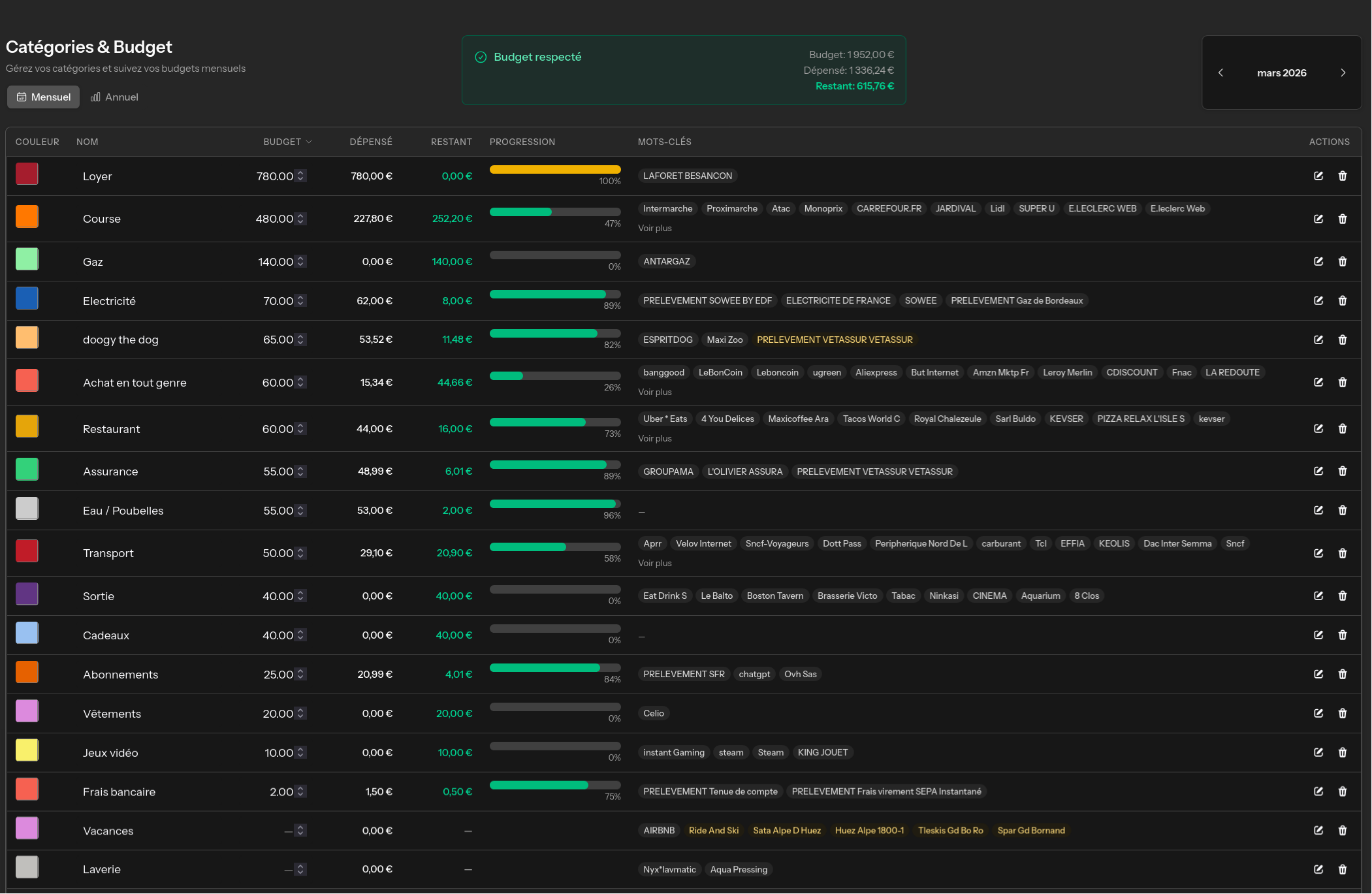
Automatically categorize expenses, set budgets per category and visualize where your money goes each month. All in one place.
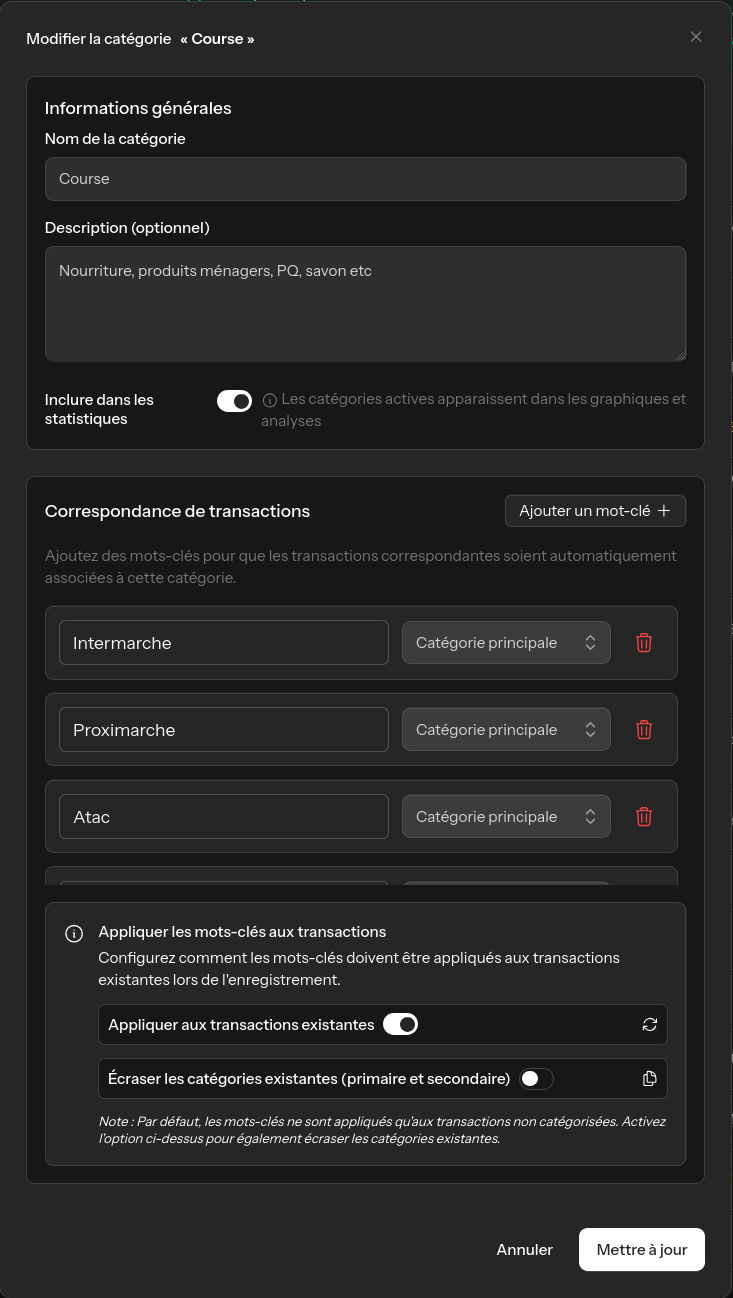
Define keywords for each expense category. Elix automatically matches your transactions to the right categories as soon as they sync.
Save time by eliminating manual sorting. New transactions are classified instantly thanks to your custom rules.
Set a budget for each category and track your progress throughout the month. Visual progress bars instantly show you where you stand.
Analyze spending by period, compare months and identify consumption trends to better manage your money.
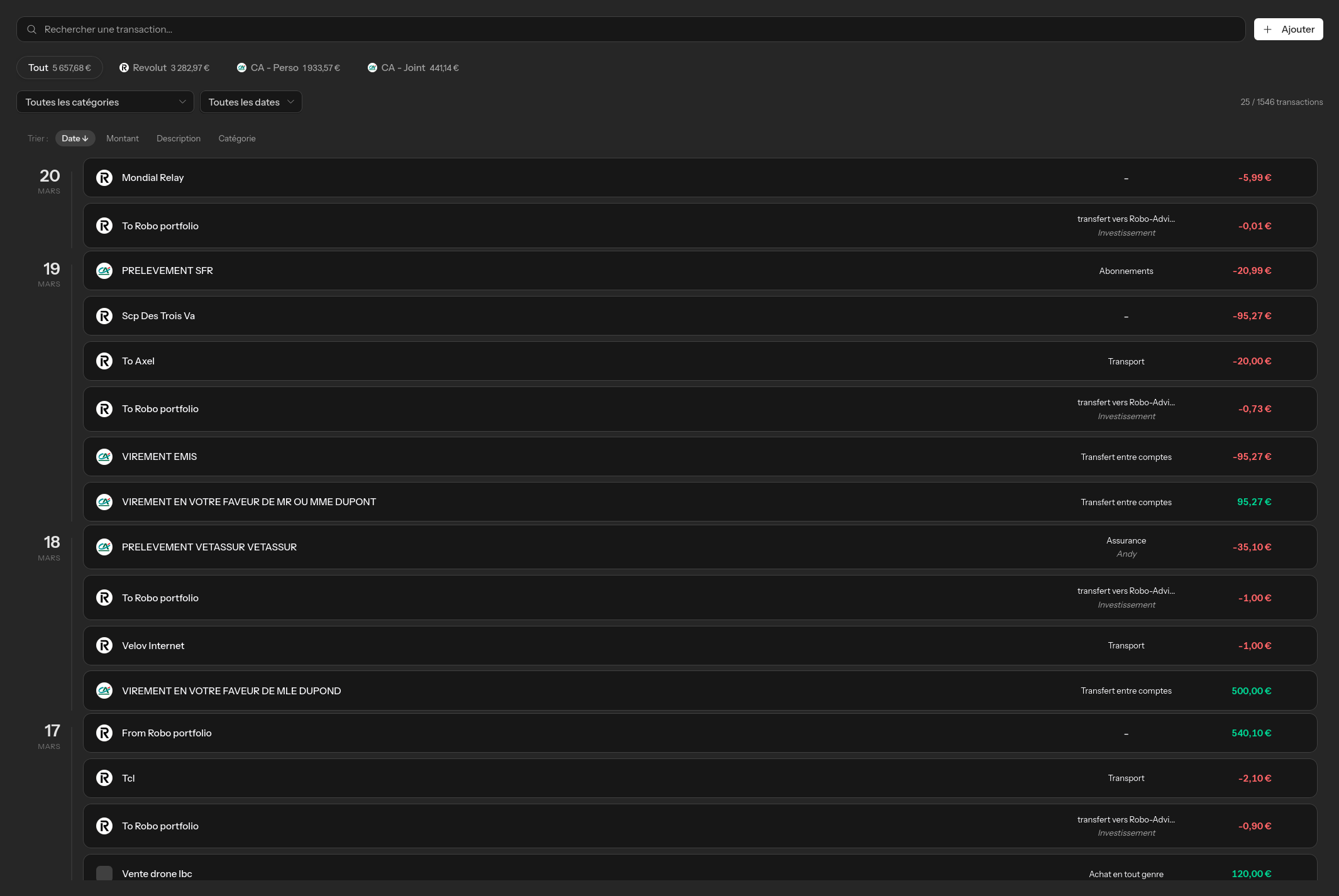
Find any transaction in seconds with advanced search. Filter by date, amount, category or description.
Find any transaction instantly with filters by amount, date, label or category.
Split a single transaction across multiple categories for accurate tracking.
Add cash expenses or off-bank transactions in just a few clicks.
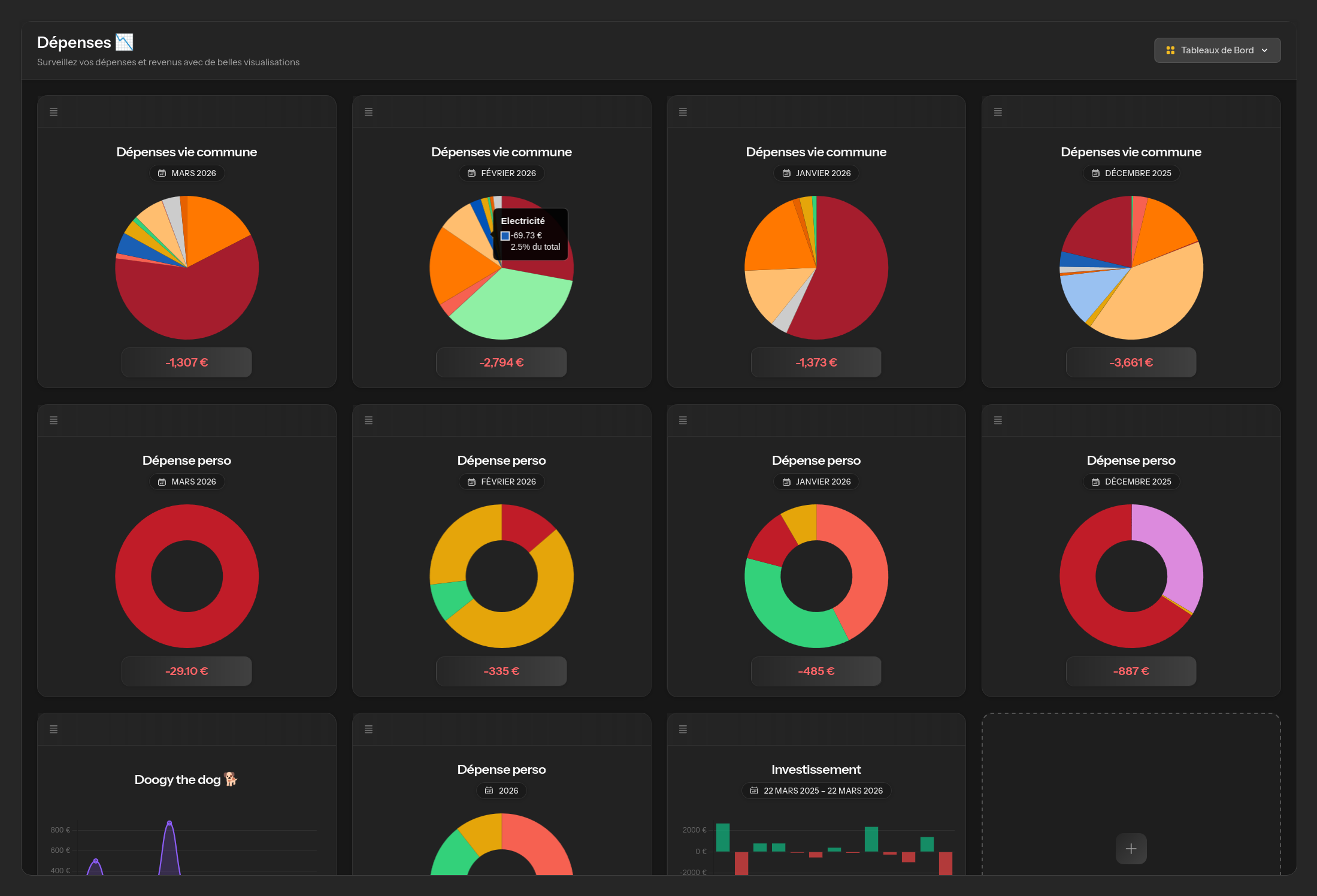
Create your own financial dashboards with configurable panels. Spending by category, balance trends, monthly breakdown.
Visualize your finances exactly as you want, with clear charts and relevant indicators.
You define keywords for each category (e.g. 'Walmart', 'Target' for 'Groceries'). When a transaction syncs from your bank, Elix automatically matches it to your keywords and assigns the right category.
Yes, you can add manual transactions for cash expenses or any payment not automatically synced.
Use the 'Split' function on any transaction to divide it across multiple categories with amounts of your choice.
Elix uses GoCardless (formerly Nordigen) to connect to over 2,400 European banks. Most major banks in France, Germany, Spain and Italy are supported.
Join Elix and discover a new way to manage your daily life. 14 days free, no commitment.
Track your crypto and stock investments in real time. Updated prices, capital gains, asset allocation and projections in one tool.
Plan events with an integrated calendar. Google Calendar sync, yearly/monthly/weekly views, holidays and multi-day events.
Organize tasks with customizable Kanban boards. Priorities, deadlines, custom columns and drag & drop.