Note taking
Your ideas, organized in Markdown.
A full Markdown editor to capture your ideas, organize projects and find notes instantly. Simple, fast and always accessible.
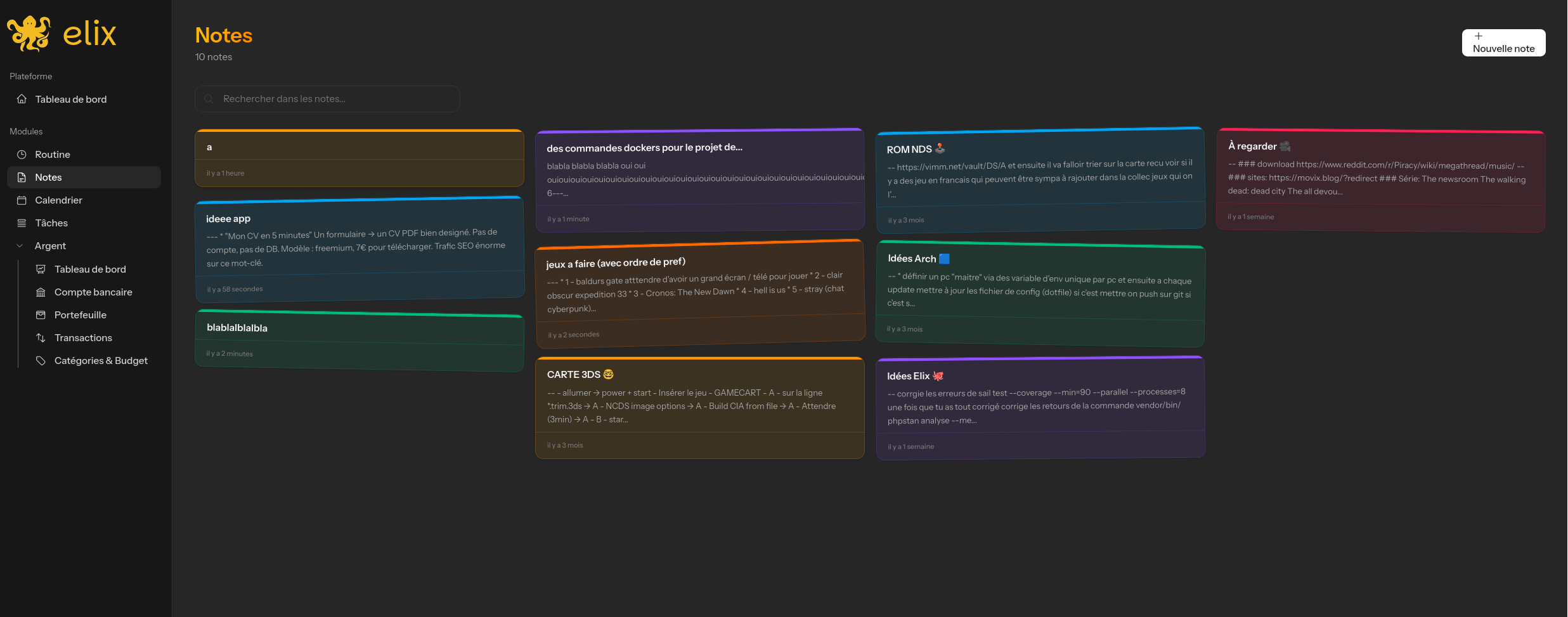
A full Markdown editor to capture your ideas, organize projects and find notes instantly. Simple, fast and always accessible.
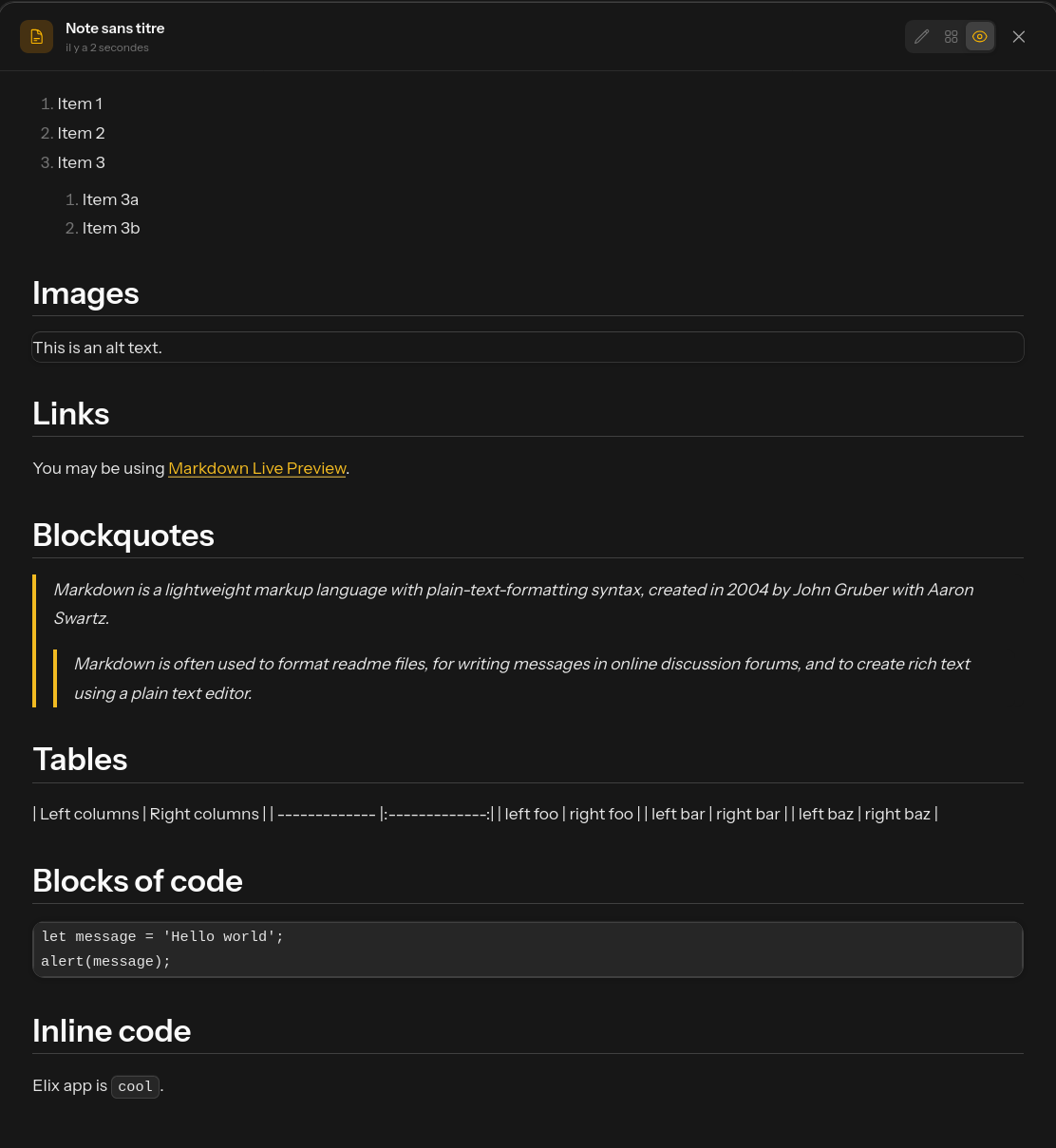
Write in Markdown with a comfortable editor. Headings, lists, links, code, quotes — all the formatting you need, with real-time preview.
Organize notes by color, find them instantly with search and archive the ones you no longer use.
Assign colors to your notes for visual organization.
Find any note instantly with full-text search.
Archive notes you no longer need without deleting them.
Auto-save, live preview, keyboard shortcuts and responsive interface. Everything is designed to save you time.
Your notes are saved automatically as you type.
See the final rendering of your Markdown in real time.
Bold, italic, lists — everything is accessible from the keyboard.
Take notes just as easily on mobile as on desktop.
Personal journal, project management, brainstorming — Elix notes adapt to all your use cases.
Keep a daily journal to capture your thoughts and track your growth.
Document your projects with structured, detailed notes.
Never let a good idea slip away again.
Yes, Elix supports standard Markdown: headings, bold, italic, lists, links, code blocks, quotes and more.
Yes, every change is saved automatically in real time via Livewire. You never need to click 'Save'.
Deleted notes go to trash (soft delete) and can be recovered if needed.
No, you can create as many notes as you want.
Join Elix and discover a new way to manage your daily life. 14 days free, no commitment.
Plan events with an integrated calendar. Google Calendar sync, yearly/monthly/weekly views, holidays and multi-day events.
Customize your dashboard with modular widgets: weather, agenda, finances, tasks, routines, stock prices and more. Everything at a glance.
Your data is protected: SSL encryption, 2FA authentication, EU hosting and GDPR compliance. Elix never sells your data.